
31 Aug How to Pick the Right Smart Camera for Your Home
Choosing a smart camera for home security used to be a simple decision: you bought a camera, pointed it at your front door, and hoped for the best. Today, the market is flooded with options that offer 4K resolution, AI-powered person detection, two-way audio, and integration with everything from Alexa to Apple HomeKit. But here’s the catch — more features don’t always mean better security. In fact, the wrong camera can leave you with blind spots, frustrating false alerts, and privacy concerns that keep you up at night. This guide cuts through the noise, breaks down the key factors that genuinely matter, and helps you choose a smart camera for home that fits your living situation, your tech comfort level, and your actual security needs.
Key Takeaways
- Resolution matters, but only if your internet connection can handle it — a 4K camera on a slow connection will buffer and frustrate more than a reliable 1080p model.
- Local storage options like microSD cards or base-station hubs offer more privacy and reliability than cloud-only subscriptions, which can lock your footage behind a monthly fee.
- Field of view is a decision-driver: a 130-degree lens covers a wide patio, but a narrow 90-degree lens can provide more usable detail for identifying faces at a distance.
- Smart detection features like person versus package alerts are useful, but animal and vehicle detection often misfire — check what your camera can actually distinguish before paying extra.
- Privacy features like privacy zones, physical shutters, and local processing make a meaningful difference for indoor cameras.
Start With Your Security Goal, Not the Gadget Specs
Before you compare sensor sizes or night-vision ranges, answer one honest question: what problem are you actually solving? The best smart camera for home security depends entirely on your specific scenario. Want to know when a package arrives? You need a camera with good vertical placement and motion zones. Monitoring a sleeping baby calls for two-way audio and strong low-light performance, not a 4K sensor that shows every dust particle in the room. Worried about break-ins? Look for a loud siren and reliable mobile alerts, not a camera that just stores high-resolution footage you’ll never review.
This distinction drives every other decision you’ll make. A camera built to catch license plates on a driveway will be overkill, and overpriced, for a living room. A budget indoor camera that’s fine for checking on pets won’t survive outdoor weather or deter a determined intruder. Define your primary threat model first. That clarity makes the rest of the selection process much easier.
Understand the Storage Options Before You Commit
Cloud Storage: Convenient but Recurring
Most smart cameras push you toward a cloud subscription. You get motion alerts, a rolling window of recorded clips, and the ability to review footage from your phone anywhere. The cost typically runs $3 to $15 per month per camera. The catch: you’ll pay that fee forever, or lose your recording history the moment you cancel. Cloud storage also raises privacy questions, since your footage sits on a company’s servers — a potential target for hackers or a tempting source for data requests.
Local Storage: Privacy and Control
Many cameras now support local storage: a microSD card slot in the camera itself, or a hard drive inside a base station like those used by Arlo, Eufy, or Ring’s newer models. Local storage cuts out monthly fees, keeps footage in your home, and gives you full control over who sees it. The downside is that if the camera gets stolen, the footage goes with it, unless you’ve set up remote wipe or a cloud backup tier. A hybrid approach — clips stored locally, with free cloud snapshots for event notifications — often works best for budget-conscious buyers.
AI-Powered Smart Camera Subscriptions
Premium subscriptions enhance security with advanced features like precision facial recognition, instant package detection, and rich notifications that deliver a live snapshot directly to your lock screen. While these automated insights quickly distinguish between routine backyard wildlife and a visitor at your front door, they aren’t strictly necessary for every household—a standard motion alert with a basic thumbnail often provides ample security without recurring monthly fees. If you plan to record your own installation or setup process, pair these smart monitoring tools with proven techniques on how to keep camera steady while walking to ensure your footage remains clean and blur-free.
Resolution and Night Vision: The Reality Behind the Specs
Resolution is the spec everyone quotes, but it matters less than you’d think. A 1080p camera produces sharp, usable images for identifying faces, license plates, or package status. 2K (1440p) offers a moderate step up. 4K (2160p) gives excellent detail, but 4K files chew through bandwidth and storage fast. On a typical broadband connection, streaming a 4K feed uses 8–12 Mbps. If your Wi-Fi is weak where the camera sits, expect laggy video — and the extra resolution becomes pointless.
Night vision is where cameras really differ. Most modern smart cameras use infrared (IR) LEDs to capture black-and-white footage in the dark. Range varies widely, from 15 feet on budget models to over 100 feet on premium outdoor cameras. Check the IR cut-off filter, and whether the camera switches automatically between day and night modes. Some outdoor models add a motion-activated spotlight for full-color night vision. That’s genuinely useful for spotting clothing or car colors, though spotlights can also wash out the image in reflective settings.
The Field of View Trade-off
An ultra-wide lens, around 160 degrees, means fewer blind spots — but images distort at the edges, making faces harder to identify. A narrower lens, 90 to 120 degrees, gives you better facial detail at the cost of coverage. For most homes, 120 to 140 degrees hits the sweet spot: enough width to cover a front door and walkway, without the fisheye look.
Smart Detection: Which Alerts Actually Help
Every smart camera claims to detect “motion,” but the real question is whether it can tell a moving branch from a passing car, or a car from a person at your door. Standard motion sensors use pixel-difference detection, which triggers on any movement — leading to a flood of false alerts that eventually train you to ignore notifications altogether. AI-powered person detection uses onboard neural processors to identify human shapes, cutting false alerts by a solid margin.
More advanced cameras add vehicle, animal, and package detection. Vehicle detection works reliably on outdoor cameras near driveways. Animal detection is hit-or-miss — some cameras flag deer as people, others ignore pets entirely. Package detection works well on doorbell cameras or units mounted directly above the delivery zone. In practice, person detection matters most. If a camera handles that well, you can safely ignore the rest of the AI extras.
Privacy Features You Should Not Overlook
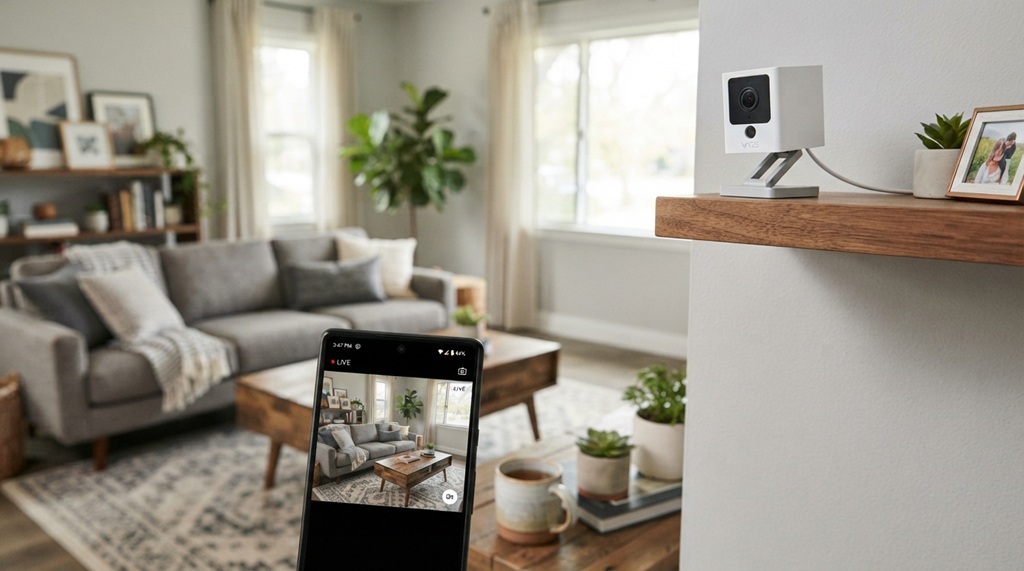
Indoor cameras carry their own privacy concerns. The idea of a camera in your living room, even one you control, makes many people uneasy, and for good reason. A compromised account can expose your home’s interior to hackers. Look for these features:
- Physical privacy shutter: a manual cover that blocks the lens on demand — far more effective than a software toggle alone.
- Privacy zones: black out specific areas of the frame, like a neighbor’s window, so they’re never recorded.
- Local processing: cameras that run AI detection on-device, rather than sending raw video to the cloud, offer better privacy and faster alerts.
- Camera ownership: some budget brands have a history of uploading footage by default. Choose a brand with a clear privacy policy and two-factor authentication.
Ecosystem Integration: Alexa, Google, and HomeKit
Your smart camera should fit the devices you already own. A camera that works with Alexa can show your front door feed on an Echo Show or Fire TV — just say, “Alexa, show the front door.” Google Nest cameras work natively with Google Assistant, so you can pull up live video on a Chromecast-connected TV. HomeKit Secure Video, Apple’s encrypted camera system, supports a growing list of compatible cameras and stores clips in iCloud with end-to-end encryption.
Before you buy, check that the camera supports the assistant you actually use — compatibility varies more than you’d expect. Wyze, for example, supports Alexa and Google Assistant but not HomeKit. Eufy supports all three but may need a HomeBase hub. Make sure the integration goes beyond basic notifications, too: live view and two-way talk should work smoothly through your assistant of choice. A little research here can save you the frustration of a shiny new camera that won’t even show up on your smart display.
Power Source and Placement Considerations
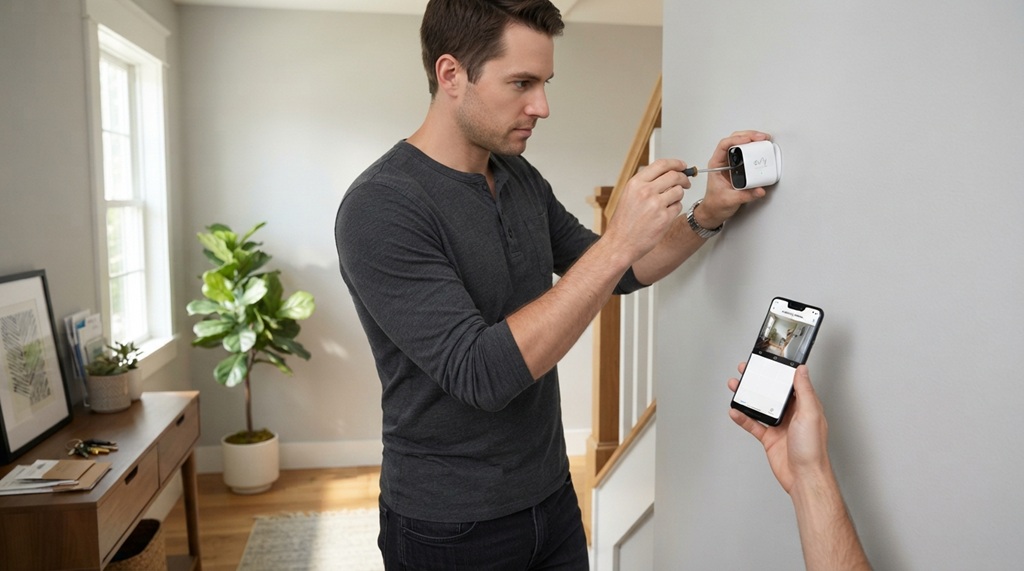
Where you place the camera decides which power type makes sense. Wired cameras, plugged into an outlet, are the most reliable — no battery to recharge, no risk of a dead camera at a critical moment. Battery-powered cameras offer flexible placement, but need recharging or new batteries every two to six months, depending on activity. Solar-panel accessories, popular with Reolink and Arlo, push that closer to zero maintenance in sunny spots. Doorbell cameras often wire into existing doorbell circuits, sidestepping the battery question altogether.
Placement matters just as much as power. Mount the camera seven to eight feet high for the best face capture — high enough to deter tampering, low enough for a clear view. Avoid pointing it directly into the sun, which causes lens flare and washed-out images. Angle it slightly downward to cover the approach to your home, not just the horizon. A camera that only records a narrow sliver of your yard isn’t a security measure. It’s a decorative accessory that gives you false confidence.
Real-World Scenarios That Impact Your Choice
Renting vs. Owning
Renters usually can’t hardwire cameras or install permanent mounts. Battery-powered cameras with adhesive mounts or simple screw-in brackets work well here. Doorbell cameras that wire into existing chimes are also renter-friendly, as long as you install carefully and patch up before you move out. Homeowners have more freedom, and wired cameras with professional-grade mounting are worth the extra effort.
Pet Monitoring vs. Person Detection
Pet parents need smooth two-way audio and microSD storage for continuous recording. AI detection that tells pets from people is a real plus, since endless pet-motion alerts get old fast. Some cameras, like Furbo or Eufy Pet, let you set activity zones that ignore your pet’s usual paths. Look for an app that lets you adjust sensitivity, so your cat’s 3 a.m. wandering doesn’t trigger a flood of notifications.
Rural vs. Urban Settings
Urban homes face higher rates of package theft and porch piracy, so package detection and a loud siren carry real value. Rural homes face different challenges: longer driveways, wider coverage needs, and fewer false alerts from neighboring activity. A rural buyer might prioritize a long-range IR beam and a large SD card for extended recording. An urban buyer needs strong person detection and a siren that will actually scare someone off.
Frequently Asked Questions
Do I need a subscription for a smart camera?
No. Most smart cameras work without one — live feeds, motion alerts, and two-way audio are typically free. Subscriptions mainly add cloud recording, richer AI detection like facial recognition, and extended video history. Store footage on a local microSD card, and you can skip the subscription without losing recording capability.
Can a smart camera work without Wi-Fi?
Most smart cameras need Wi-Fi to stream video and send phone alerts. Some models, like certain Reolink and Amcrest cameras, can still record continuously to a microSD card with no internet at all. You’ll lose remote viewing and alerts, but the camera still functions as a standard security recorder.
Is 4K resolution worth it for a home security camera?
Only if you need extreme detail — for faces or license plates from a distance — and your internet can support it. 1080p or 2K is plenty for most home security needs, and uses far less bandwidth and storage. On weak Wi-Fi, a 4K camera degrades into a slow, laggy feed, which ends up worse than a reliable 1080p model.
What is the best field of view for a security camera?
For most households, 120 to 140 degrees works best. That range covers a front door, porch, or patio without the barrel distortion that makes faces hard to identify. Narrower angles, around 90 degrees, sharpen facial detail. Ultra-wide angles, 160 degrees or more, trade image quality at the edges for broader coverage.
How long do smart camera batteries last?
Battery life depends on usage, temperature, motion frequency, and whether the camera records continuously or only on events. Most battery-powered cameras last one to six months per charge. Cameras in high-traffic areas, or ones that record long clips on every trigger, drain faster. Cold weather also cuts battery performance noticeably.
Conclusion
Picking the right smart camera for home security doesn’t have to be overwhelming. Start by writing down your actual needs — front door package monitoring, driveway surveillance, indoor pet watching — then evaluate cameras on storage method, resolution, field of view, detection quality, and privacy features. Resist the urge to buy the priciest, highest-resolution model without checking that your internet and placement can support it. A reliable 1080p camera with local storage and solid person detection will protect your home better than a 4K model on a weak connection with constant false alerts. Take your time, read recent owner reviews for your preferred brand, and pick a camera you’ll actually check, adjust, and maintain over the long haul. When in doubt, prioritize storage reliability and a low-false-alert motion experience — that’s what keeps your home secure, not the megapixel count.