
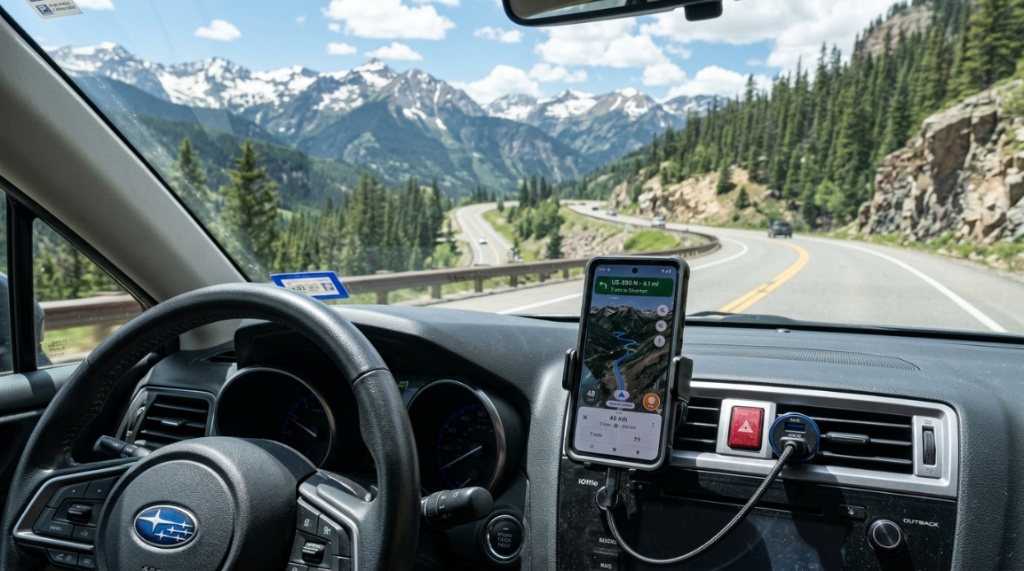
17 Aug How to Keep Your Phone Powered on Colorado Drives
You’re cruising down I-70 toward the mountains, GPS blazing, music streaming, and your phone’s battery drops from 40% to 15% before you even reach Idaho Springs. You need a reliable phone charger for Colorado driving—not just any charger, but one built for the unique demands of the Centennial State. From extreme temperature swings to long stretches between towns, Colorado presents specific challenges for keeping your devices alive. In this guide, you’ll learn exactly how to select, use, and optimize a car charger so your phone never dies when you need it most.
What Makes Colorado Driving Unique for Phone Charging?
Colorado’s terrain, climate, and driving patterns create a distinct set of challenges for portable electronics. Unlike flat, temperate states, Colorado demands more from both your vehicle and your charging equipment. Understanding these factors is the first step to making an informed purchase.
Extreme Temperature Fluctuations and Battery Health
Colorado is notorious for dramatic temperature swings. A sunny 60-degree afternoon can plunge to 20 degrees within hours as a front moves through the Front Range. Heat is a battery’s worst enemy, accelerating chemical degradation. Cold temperatures, on the other hand, temporarily reduce a lithium-ion battery’s capacity and increase internal resistance. This means your phone might drain 30-40% faster on a winter day. A quality charger must deliver consistent, stable power to counteract these environmental stressors, preventing your phone from drawing excessive current to stay operational.
Long Distances Between Urban Centers and Charging Stations
Colorado is a large state, and the distances between charging opportunities can be significant. From Denver to Grand Junction is roughly 250 miles. On the Eastern Plains, towns can be 50-70 miles apart. This is particularly relevant for electric vehicle (EV) drivers, but even for traditional phone users, it means you cannot rely on frequent stops to top up your device. Your car charger is not a convenience—it is your primary power source for hours at a time. Reliability is non-negotiable.
High-Altitude Driving and Engine Load
Driving at altitude forces your vehicle’s engine to work harder, especially when climbing mountain passes like Loveland Pass (11,990 feet) or Independence Pass (12,095 feet). This can affect your car’s alternator output and electrical system stability. While modern vehicles manage this well, older cars might produce “dirty” power—voltage spikes or dips—which can confuse or damage sensitive electronics. A rugged car charger with built-in voltage regulation is essential to protect your smartphone from erratic power delivery.
Which Type of Car Charger Is Best for Colorado Drivers?
The type of charger you choose matters more than you might think. With USB-C becoming the universal standard, the days of low-wattage USB-A ports are ending. For Colorado drivers, the best choice balances speed, durability, and compatibility with your specific devices.
USB-C PD (Power Delivery) vs. Standard USB-A vs. 12V Socket Adapters
USB-C PD is the clear winner for modern smartphones. It supports up to 100W (or more) and allows your phone to negotiate the exact voltage and current it needs. Standard USB-A ports typically max out at 12W (5V/2.4A), which is slow for large-battery phones. 12V socket adapters that plug into your cigarette lighter are the traditional approach, but many newer vehicles now come with built-in USB-C ports. If your car is older, a high-quality 12V adapter with a USB-C PD port is your best bet.
| Feature | USB-C PD (Recommended) | Standard USB-A | 12V Socket Adapter |
|---|---|---|---|
| Max Power Output | Up to 100W+ | Up to 12W typically | Depends on port (up to 100W with PD) |
| Charging Speed | Very Fast (0-50% in ~30 mins) | Slow (0-50% in ~90 mins) | Variable (Fast if USB-C PD) |
| Compatibility | Modern smartphones, laptops, tablets | Older devices, accessories | Universal (requires adapter) |
| Safety Features | High (power negotiation, thermal protection) | Basic (overcurrent protection only) | High if quality brand |
Multi-Port Chargers for Families and Multiple Devices
If you are driving with a family, you need more than one port. A charger with multiple USB-C and USB-A ports allows everyone to charge simultaneously. However, be aware that shared ports often split power. If you have two devices plugged in, the charger might provide 45W to one port and 18W to the other. For families, look for chargers with dedicated high-power ports (at least 20W) for each user, preventing one slow device from bottlenecking the entire charging session.
How Does Cold Weather Affect Your Phone’s Charging Speed?
Cold weather is the silent killer of fast charging. When temperatures drop below freezing, lithium-ion batteries slow down their internal chemical reactions. This is a physical limitation, not a flaw in your charger.
The Science Behind Cold Battery Charging
To protect the battery, your phone’s software will often limit the charging current to prevent damage. Fast charging may be disabled entirely if the battery temperature is below 10°C (50°F). Your charger is capable of delivering 45W, but your phone might only accept 10W because it is cold-soaked. This confuses many drivers who wonder why their “fast charger” is charging so slowly during a ski trip.
Tips to Warm Your Phone While Charging in Winter
To mitigate this, avoid placing your phone directly on a cold dashboard or in a cup holder where it will be exposed to cold air coming from the vents (ironically, your car’s heater can still be cold initially). Instead, place it in a center console or a warm pocket near your body for 5-10 minutes before plugging it in. Many modern EVs and gas cars have heated center consoles now. Using a wireless charger that generates a little heat can also help, but be cautious of overheating in the summer months.
Can You Charge an iPhone and Android Phone With the Same Charger?
Yes, absolutely. This is one of the best improvements in tech over the last few years. Since Apple switched to USB-C in 2023, nearly all modern smartphones use the same connector standard. This simplifies your charging setup significantly.
Understanding USB-C and the EU Mandate
The European Union mandated USB-C as the common charging port for all devices by 2024-2026. This has driven a global shift. Apple, Samsung, Google, and Motorola all now ship USB-C phones. Therefore, a single USB-C charger can handle your iPhone, your Android device, and even your wireless earbuds. This is a huge win for Colorado households where family members use different brands.
Voltage and Wattage Considerations for Different Brands
While the connector is the same, the charging protocol varies slightly. iPhones use USB-C PD (Power Delivery). Samsung devices often use PD but may prefer their own “Super Fast Charging” protocol based on PPS (Programmable Power Supply). A good universal charger supports both PD and PPS. If you buy a cheap charger that only supports PD, it will charge a Samsung phone, but slower than dedicated Samsung hardware. Look for chargers that explicitly state “PPS” compatibility for optimal Samsung Galaxy charging speeds.
Why Is a High-Quality Charger Critical for Navigation Apps?
Navigation apps are power hogs. Google Maps or Apple Maps use GPS, continuous screen-on time, and cellular data simultaneously. This combination can drain a phone battery faster than it can charge, even when plugged in.
The “Screen-On” Power Drain Problem
Your phone’s screen is the largest power consumer. When navigating, the screen stays on constantly. A standard 10W charger can barely keep up with the drain, resulting in your battery staying at a constant level or slowly decreasing. For GPS-based driving across Colorado’s long stretches, you need a charger that delivers at least 18W-20W to your phone to maintain or increase the battery percentage while navigating.
Charging While Using Hotspot or Bluetooth
Using your phone as a hotspot for passengers or connecting to your car’s Bluetooth for audio adds additional strain. The radio (cellular) is already working hard; adding Wi-Fi sharing and Bluetooth simultaneously can double the power draw. A robust charger with high wattage (above 30W) ensures you have a power surplus even under this heavy load, preventing your phone from dipping into low battery mode at the worst possible time—like when navigating to a remote trailhead. For the best options, you might want to check out this comprehensive list of the phone charger for Colorado driving that has passed our durability tests.
Which Are the Top Features to Look for in a Colorado-Ready Car Charger?
Not all chargers are created equal. Durability and safety features should be your top priority, not just raw wattage. Colorado’s environment—sunny UV exposure, winter slush, and bumpy back roads—requires a unit built to last.
Durability: Heat Resistance, Cold Resistance, and UV Protection
The plastic used in cheap chargers can become brittle in extreme cold or warp in intense summer sun. Look for chargers made from high-grade polycarbonate or metal housings. Metal housings also act as a heat sink, dissipating the heat generated during rapid charging. UV protection is less common but valuable if you charge in your car daily in the strong Colorado sun.
Cable Length and Material Considerations
A short, flimsy cable is a recipe for frustration. For cars, a 3- to 6-foot cable is ideal. It gives you the flexibility to route the cable to your dashboard mount or center console without causing tangles. Nylon-braided cables are far more durable than vinyl-coated ones—they resist kinking in the cold and won’t melt or warp in the summer. Ensure the cable is rated for the charger’s output (e.g., a 100W cable for a 100W charger).
Safety Certifications (UL, CE, FCC) and Overheat Protection
Never skip safety certifications. A genuine UL (Underwriters Laboratories) certification means the charger has been tested for fire safety and electrical hazards. CE marks indicate compliance with European health and safety standards. Crucial for both summer and winter is thermal protection—the charger should automatically reduce output or shut down if it gets too hot. This prevents damage to both your phone and your vehicle’s electrical system.
How Do You Choose the Right Charger for an Electric Vehicle (EV) in Colorado?
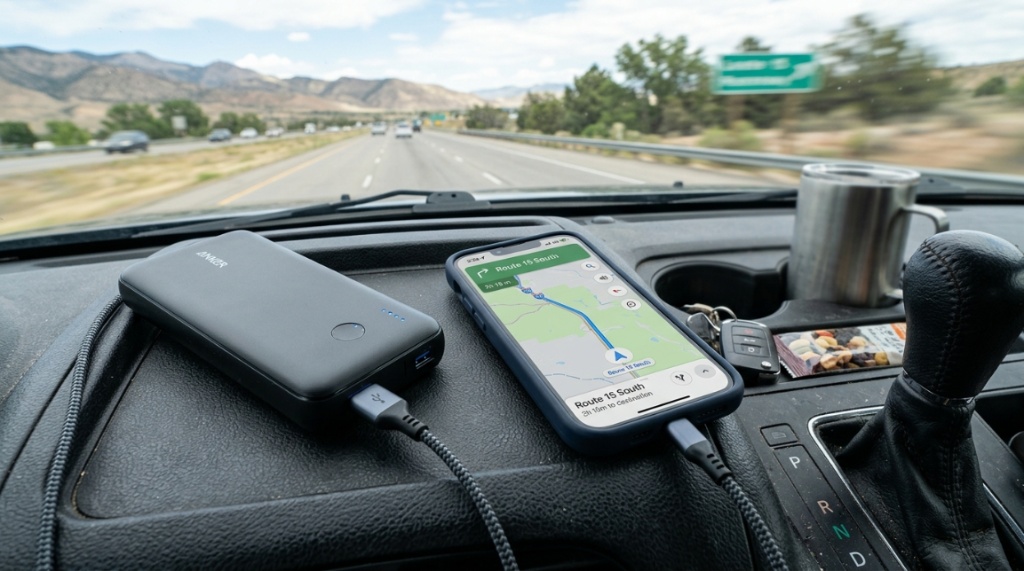
The rise of EVs in Colorado is remarkable. Whether you drive a Tesla, Ford F-150 Lightning, or Rivian, you likely still need to charge your phone inside the vehicle.
Using the EV’s Built-in USB Ports vs. Aftermarket Adapters
Most modern EVs come with multiple USB-C ports that provide 15W to 60W of power. However, these ports are often only powered when the car is “on” or in accessory mode. If you are camping in your EV overnight in the Rockies, you might want a charger that works when the vehicle is off. Some EVs (like Tesla) have a 12V battery system that is monitored. Plugging a high-power charger into a 12V outlet while the car is off can deplete the 12V battery, leaving you stranded. It is safer to rely on the EV’s built-in high-voltage-to-12V converter systems.
Solar-Powered Chargers as a Backup for Overlanding
For Colorado overlanding and off-grid adventures, solar is a viable supplement. A 100W foldable solar panel can trickle-charge a large power bank during the day, which you can then use to charge your phone at night. This is a smart strategy for multi-day trips in dispersed camping areas where your EV or gas vehicle will be parked for extended periods. This setup also protects your vehicle’s starting battery from being drained.
What Is the Best Way to Route Cables in Your Car for Safety and Convenience?
Routing cables improperly can be a serious hazard. A cable draped across the gear shifter or brake pedal is a recipe for disaster. The goal is to hide the wire and keep it out of the way.
Using Cable Clips and Adhesive Mounts
Invest in automotive-grade cable clips with strong 3M adhesive. You can run the cable along the seams of your dashboard plastic or under the center console edges. This prevents passengers from entangling their feet in the cables and keeps your car looking clean. Avoid using zip ties on flexible cable runs as they can pinch the wire.
Wireless Charging Mounts vs. Plugging In Directly
Wireless charging mounts are convenient—you simply drop your phone in and go. However, they are less efficient (10-15% energy loss) and can generate more heat. On a sunny summer day, a wireless mount can cause your phone to overheat, forcing the charging to stop entirely. Direct USB-C wired charging is always more efficient and faster. If you rely on a wireless mount, ensure it has a built-in cooling fan to combat heat, which is crucial for a summer drive in Denver’s traffic.
How Can You Maintain Your Car Charger for Longevity?
Your charger is a piece of equipment that needs regular maintenance to last. Colorado’s dust and temperature shifts can degrade it over time.
Cleaning the Ports and Contacts
Lint and dust can accumulate in the USB-C port on your phone and in the charger itself. This causes poor connections and increased resistance, which generates heat. Use a can of compressed air or a wooden toothpick to gently clean the ports every month. For the 12V socket, check for corrosion or melting, which can happen with high-current adapters, If you are planning to capture stunning landscape shots along the way, check out our guide on iPhone Cameras vs. Digital Cameras to pick the best travel setup.
Preventing Cable Damage from Cold and Sun
Try to disconnect your charger when not in use if you park in extreme conditions. While modern chargers are robust, prolonged exposure to UV rays will degrade the plastic over time. Similarly, do not force a stiff cable to bend in the cold—you might snap the internal wires. Store a spare cable in the glovebox just in case.
Conclusion
Your phone is your lifeline on Colorado roads, whether you are commuting through Denver’s traffic, skiing in Vail, or navigating back roads in the San Juans. The right car charger is more than just an accessory—it is essential safety gear. You need a charger that handles temperature extremes, delivers high wattage for demanding navigation apps, and is built tough enough for the long haul. Prioritize USB-C PD with PPS support, check for safety certifications, and invest in durable cabling. By understanding how your phone charges in the cold and how navigation drains power, you can keep your devices alive and your journeys safe, no matter where your adventure takes you.
Frequently Asked Questions
Is it bad to use a fast charger on an older phone?
No, it is generally safe. Fast chargers negotiate with the phone. An older phone lacking fast charging protocols will simply draw a lower, safer current (typically 5V/1A). The charger will not force more power than the phone requests.
Can I charge my MacBook or laptop in my car with the same charger?
Yes, if your charger supports 60W-100W output. Many modern USB-C PD chargers can power MacBooks and Windows laptops. However, verify that the charger uses the PPS protocol to avoid any compatibility errors with certain laptop models.
How long does it take to charge a phone in a car?
With a 20W USB-C PD charger, most smartphones charge from 0% to 50% in about 30 minutes. A full charge takes longer as the battery slows down charging speed near capacity. Standard 10W chargers take roughly three times longer.
Does using a car charger drain your car battery?
When the car is running, the alternator powers the charger, so it does not draw from the 12V battery. However, if you leave the device plugged in with the car off, it can drain the 12V battery, potentially leading to a dead battery over several hours.
What does “PPS” mean on a car charger?
PPS stands for Programmable Power Supply. It allows the charger to adjust voltage and current in real-time based on the phone’s needs. This enables faster, cooler charging for compatible devices like Samsung Galaxy and newer Google Pixel phones.
Focus Keyphrase:
Meta Description: